

How to make remote attendees feel like they're in the room during your strategic planning session
If your remote teammates look like postage stamps on a screen while the in-person crew runs the show, congratulations — you're hosting a strategy session from 1998.
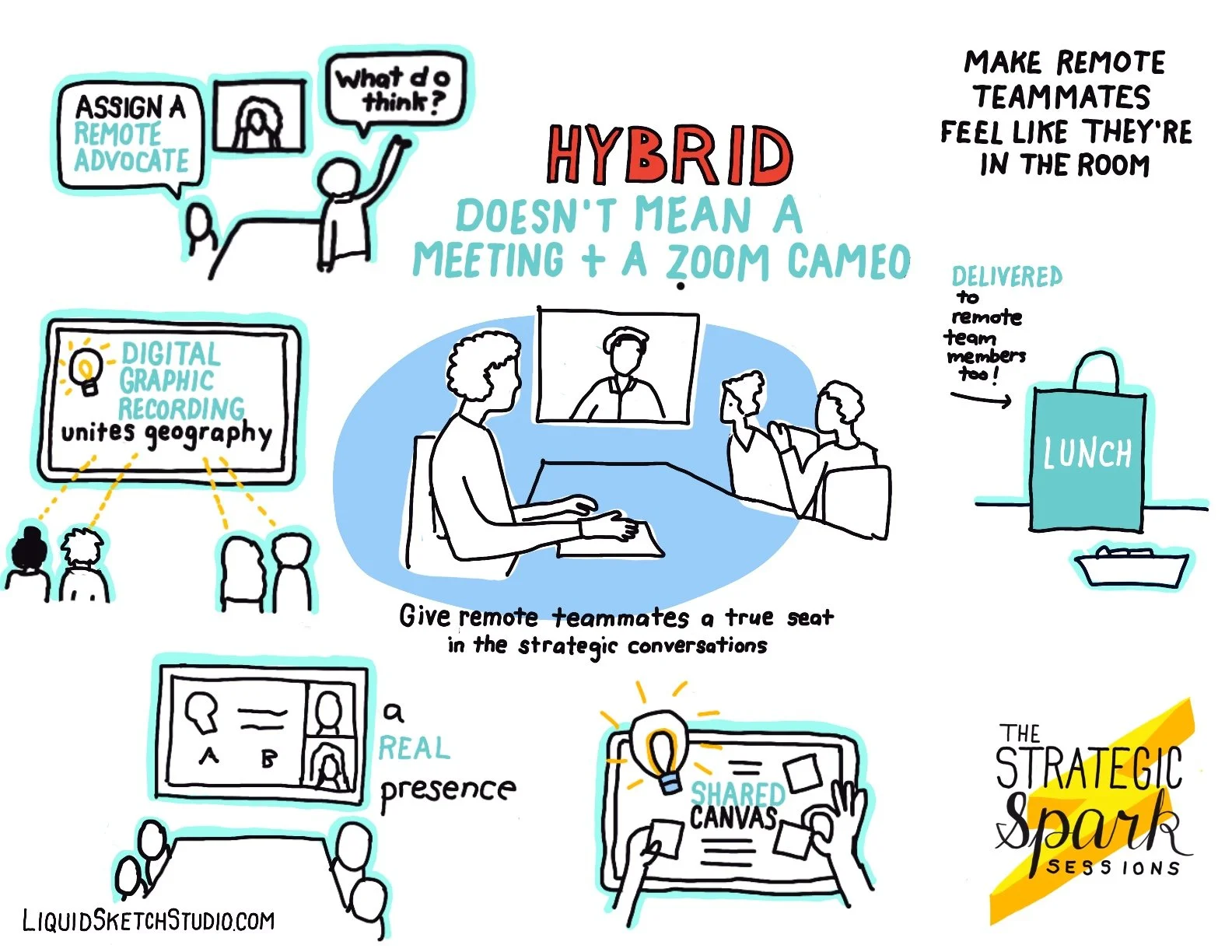
Hybrid doesn’t mean “the real meeting plus a Zoom cameo.” It means designing a meeting where everyone gets to participate like their presence actually matters.
Here’s how one company pulled it off beautifully during a recent 2-day strategic planning session I attended.
“It’s time we all get together face-to-face.”
That’s what the CEO said when he brought his team together for their first in-person strategy meeting in years.
There’s a certain magic you only get in the room: the thoughtful pause before someone speaks, the sideways glance that says “I agree,” the energy you simply cannot bottle on Zoom.
But life, calendars, and travel budgets don’t always cooperate. So the company held a hybrid meeting — and to their credit, they nailed it in ways that made remote teammates feel fully included, not like pixelated afterthoughts.
Here’s what worked (and why it works so well):
1. Assign a Remote Advocate (Your Meeting MVP)
Our facilitator didn’t just check the chat.
They actively championed the remote voices.
After every major point, they paused the in-room conversation to ask:
👉 “Anything from our remote folks?”
👉 “Jose, what’s your take on that?”
This one shift does wonders:
Remote people feel seen the moment their names are spoken.
They don’t have to interrupt or fight for airtime.
Insights surface that would’ve otherwise been missed.
A remote advocate turns silent squares into real contributors, and that changes the whole dynamic.
2. Use Digital Graphic Recording to Unite the Room
Virtual graphic recording is a hybrid meeting superpower.
At this session, LiquidSketch provided digital graphic recording onsite while simultaneously streaming the visuals into Zoom.
Benefits of this move:
Everyone sees the same unfolding story — no matter where they sit.
Ideas become visible, which helps people follow the conversation.
Remote teammates feel a sense of ownership because their words literally appear on the screen.
Visuals don’t just bridge the geographic gap — they create a shared experience.
3. Give Remote Attendees a Real Presence in the Room
This team projected remote participants onto a dominant, easy-to-see screen, not a laptop shoved in the corner.
Why this matters:
When remote faces are as large and visible as in-room faces, the brain treats them as “present.”
Speaking up becomes easier when everyone can make eye contact.
Remote teammates stop feeling like background noise.
Bonus tip: assign an in-room buddy to echo side comments or bring attention to visual notes so nothing gets lost in translation.
4. Use a Shared Digital Canvas (Miro, FigJam, Jamboard)
During a brainstorming session, the group used a Miro board and it was a game changer.
A shared digital canvas means:
Everyone (remote + onsite) contributes in real time.
Sticky notes, votes, and comments show up instantly.
Remote participants become co-creators, not spectators.
This is collaboration at its best: inclusive, visual, and fast.
5. And yes… send lunch.
When the room broke for lunch, Uber Eats delivered meals to remote participants so they could join in without scrambling.
It’s simple, but it matters:
Shared meals create connection — even through a screen.
No one feels left out. No one misses the bonding.
Hybrid meetings don’t have to feel disconnected.
With a few intentional choices, you can design strategic sessions where everyone feels seen, heard, and genuinely part of the movement.
💡 This is Part 2 of The Strategic Spark Series — your guide to hosting strategic planning sessions that light a fire, spark creativity, and move the mission forward.